

Documentation Index
Fetch the complete documentation index at: https://docs.withorb.com/llms.txt
Use this file to discover all available pages before exploring further.
Introduction
License scoped alerts extend Orb’s real‑time alerting so you can monitor and act on usage and credit consumption at the level of an individual license (for example, a specific user, agent, or workspace), not just at the customer or shared‑pool level. With license scoped alerts, Orb continuously tracks per‑license usage and remaining allocation availability. When a license’s pool crosses a configured threshold—such as 75%, 90%, or 100% consumed—Orb does the following:- Render in‑app notifications in the Orb UI
- Fire webhooks that include license identifiers and balance details
- Feed downstream systems (entitlements, customer messaging, internal tooling) so you can automatically adjust access, trigger upsell flows, or notify operators for follow‑up
- Seamlessly run freemium / trial programs, without the COGS risk
- Enforce product access or restrictions, like gating premium features
- Control spend and enforce fairness
Operator’s guide
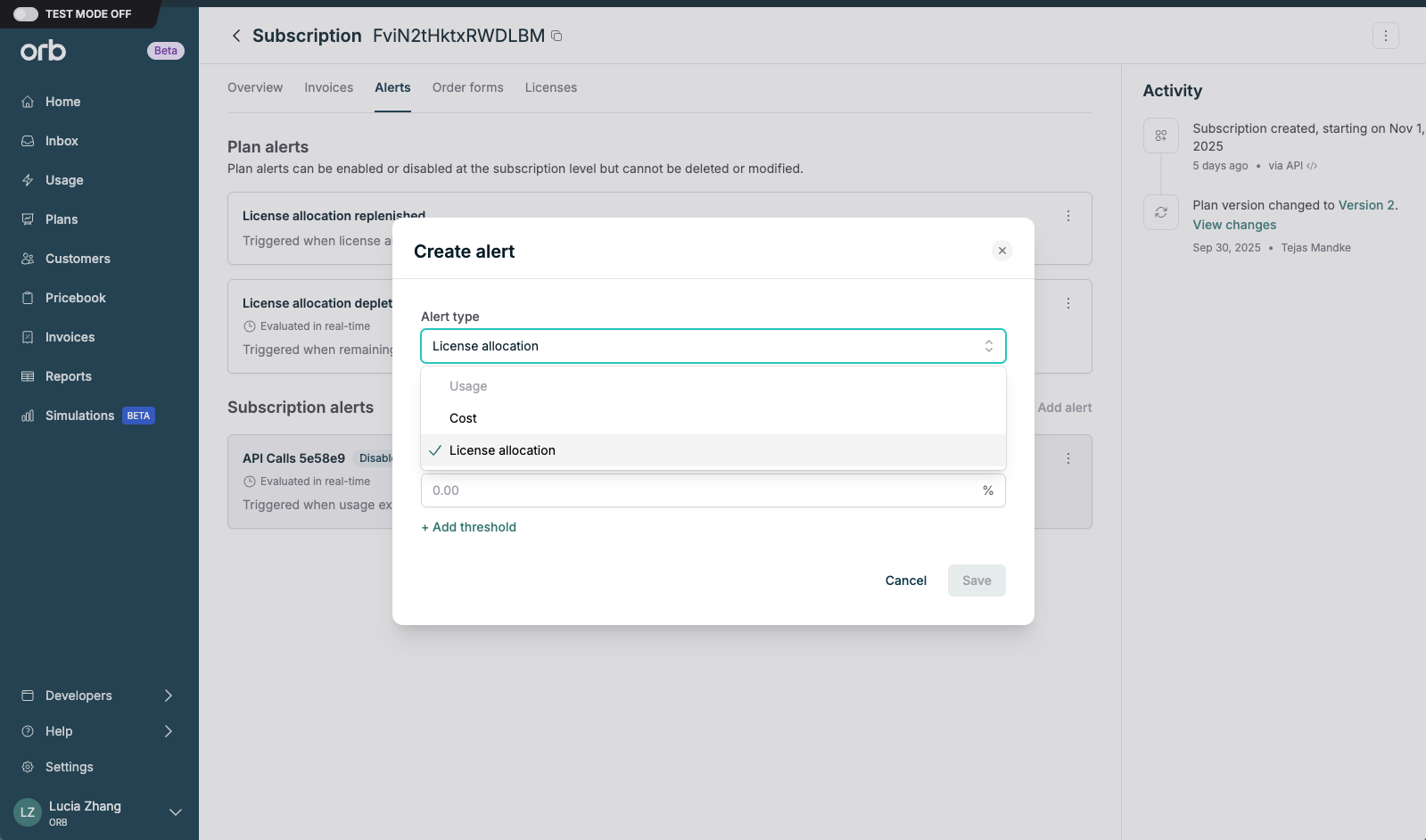
- When configuring a plan or subscription, add a license allocation alert.
- Alerts configured at the plan-level will be inherited by any subscriptions created for that plan.
- Orb recommends creating the following alerts at the plan level:
- License allocation depleted – usage consumes 100% of available allocation for the billing period, product access should be restricted.
- License allocation replenished – usage resets to 0% of available allocation for the billing period, product access should be restored.
- License allocation exceeds – usage has crossed some X% threshold of available allocation for the billing period, which can be used as a soft-limit to prevent abuse and overage, or as a trigger for upsell.
- Configured alerts will fire an (aggregated) webhook that can be used to hook into downstream systems and workflows (entitlements, customer messaging, internal tooling).
End-to-end entitlements management
Sample workflow
- Create a license type, a plan with licenses and per-license allocations, and configure license allocation alerts for key thresholds. (See Operator’s Guide above).
- Create a subscription and activate licenses.
- License identifiers are typically sourced from your existing identity management system.
- Many teams reuse a stable ID from their identity provider (Ex: Okta, Azure, AD) such as
user_idorexternal_license_id.
- As license usage is ingested, when the license allocation alert
- Is depleted, turn off product access by leveraging the following fields:
alert_configuration.threshold– 0%fired_licenses[]– the specific licenses that just crossed a threshold.external_license_id: your user / seat / agent identifier to disable.license_type_id: which license type this applies to
- Is replenished, turn on product access by leveraging the following fields:
reset_allocations[]– the specific licenses need to be reset.
- Exceeds custom threshold, send upsell banners, in-product notifications by leveraging the following fields:
alert_configuration.thresholds– all configured thresholds (for example, 25%, 50%, 100%).fired_licenses[]– the specific licenses that just crossed a threshold:external_license_id: your user / seat / agent identifierlicense_type_id: which license type this applies tothreshold_percentage: which threshold was hit (for example, “50” or “100”)
- Is depleted, turn off product access by leveraging the following fields: